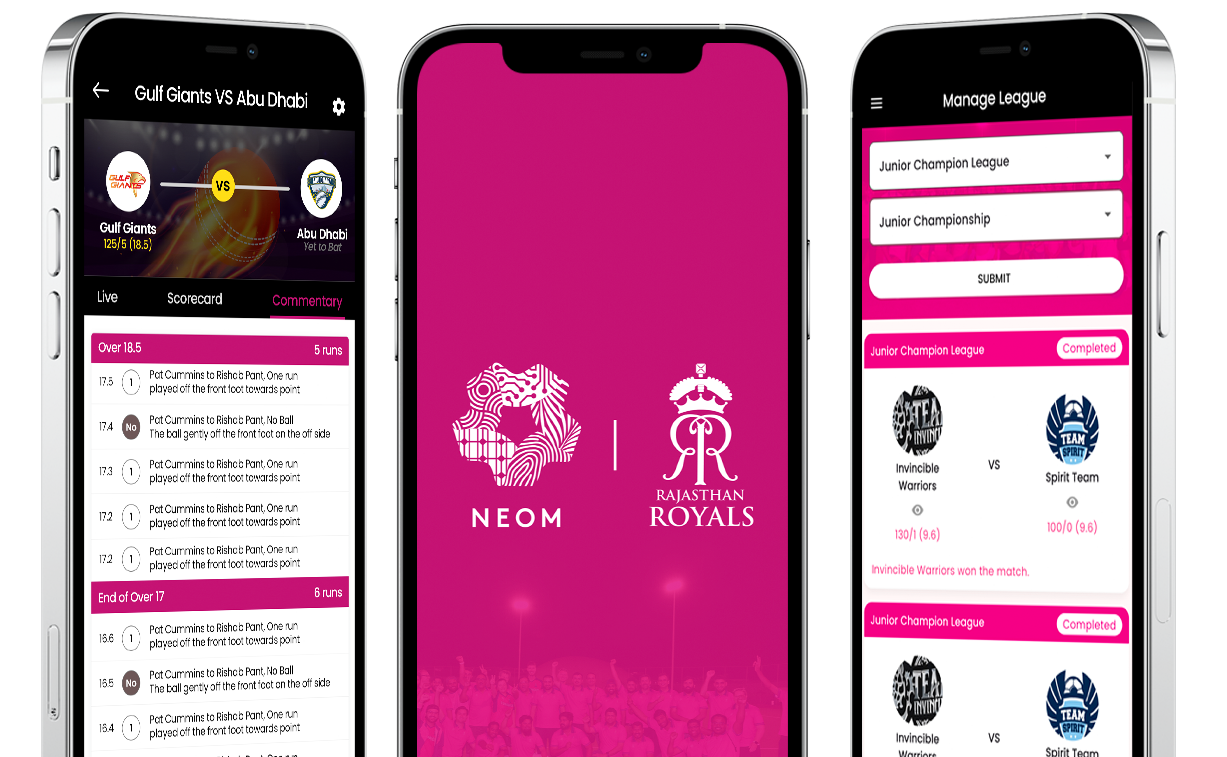
NEOM

mobile app development

The NEOM App brings the excitement of cricket leagues to your fingertips, simplifying tournament management with live scores, player stats, and fixtures — all in one place. Built with Flutter and Dart for smooth cross-platform performance, it offers a clean, fast, and intuitive experience for organizers, players, and fans alike — turning every game into a smart, connected experience.

Branding

For the NEOM App, the branding was designed to capture the energy, spirit, and precision of modern cricket. The visual identity blends bold contrasts and vibrant pink accents, symbolizing competitiveness and enthusiasm, while maintaining a professional tone that suits organizers and players alike. The interface uses clean layouts, rounded elements, and structured typography to ensure clarity during live scoring and tournament management. Inspired by the dynamic motion of the game, the overall design reflects teamwork, momentum, and excitement, turning every interaction into an extension of the cricketing experience itself.


mobile app design
mobile app development company

Challenges

A major challenge in developing the NEOM App was achieving real-time score synchronization while maintaining smooth performance across devices. Balancing offline support, data accuracy, and an intuitive UI required careful optimization and testing.

Strategies

Strategies To deliver a responsive, real-time scoring experience for the NEOM App, we utilized Flutter's cross-platform framework and a Provider-based MVVM architecture. Strategic implementation of Sqflite for offline data management ensured high performance and data accuracy, even with intermittent connectivity.
Final Application

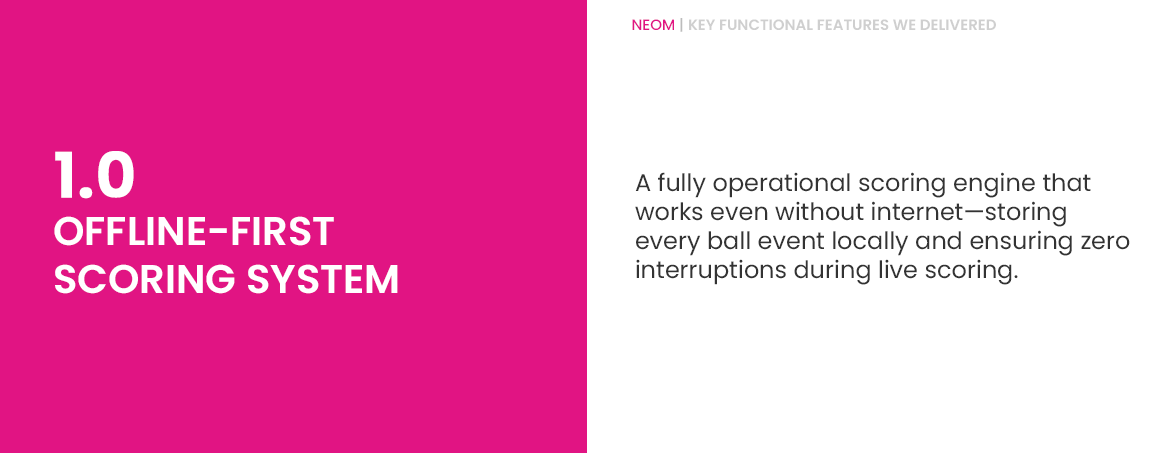
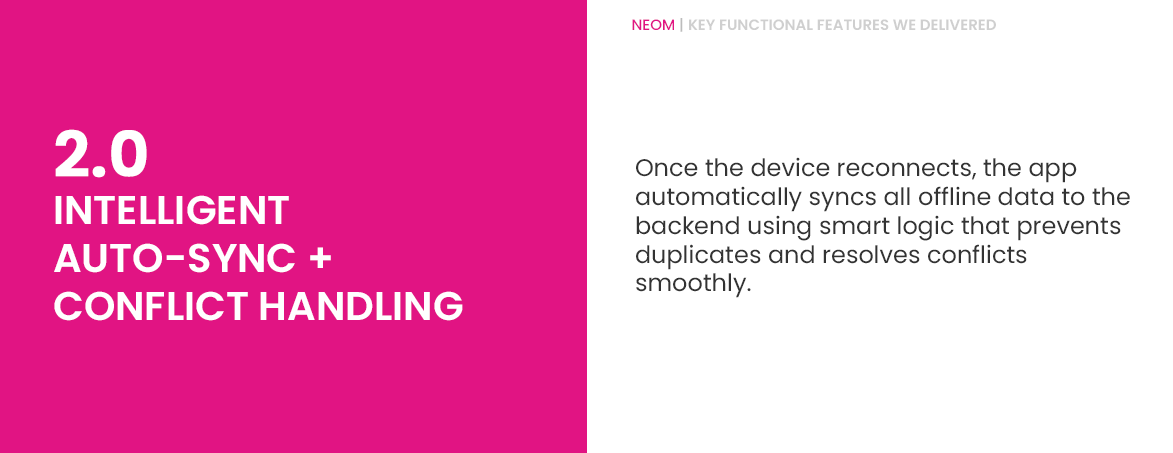
The NEOM Intelligent Cricket Academy Scoring System delivers a fully modernized, high-performance scoring experience designed specifically for cricket academies and professional coaches. Our team has built a powerful offline-first scoring application that records every match event with real-time precision while ensuring uninterrupted use in low-network environments. The application includes a robust backend with a structured database for secure management of teams, players, matches, and scoring sessions. With intelligent auto-sync technology, coaches can score matches offline and have all data seamlessly synchronized to the server once connectivity is restored—without duplication or conflicts. The result is a smooth, reliable, and coach-friendly scoring ecosystem optimized for performance, security, and scalability.

mobile app design company
mobile app portfolio
mobile apps development

Wireframe

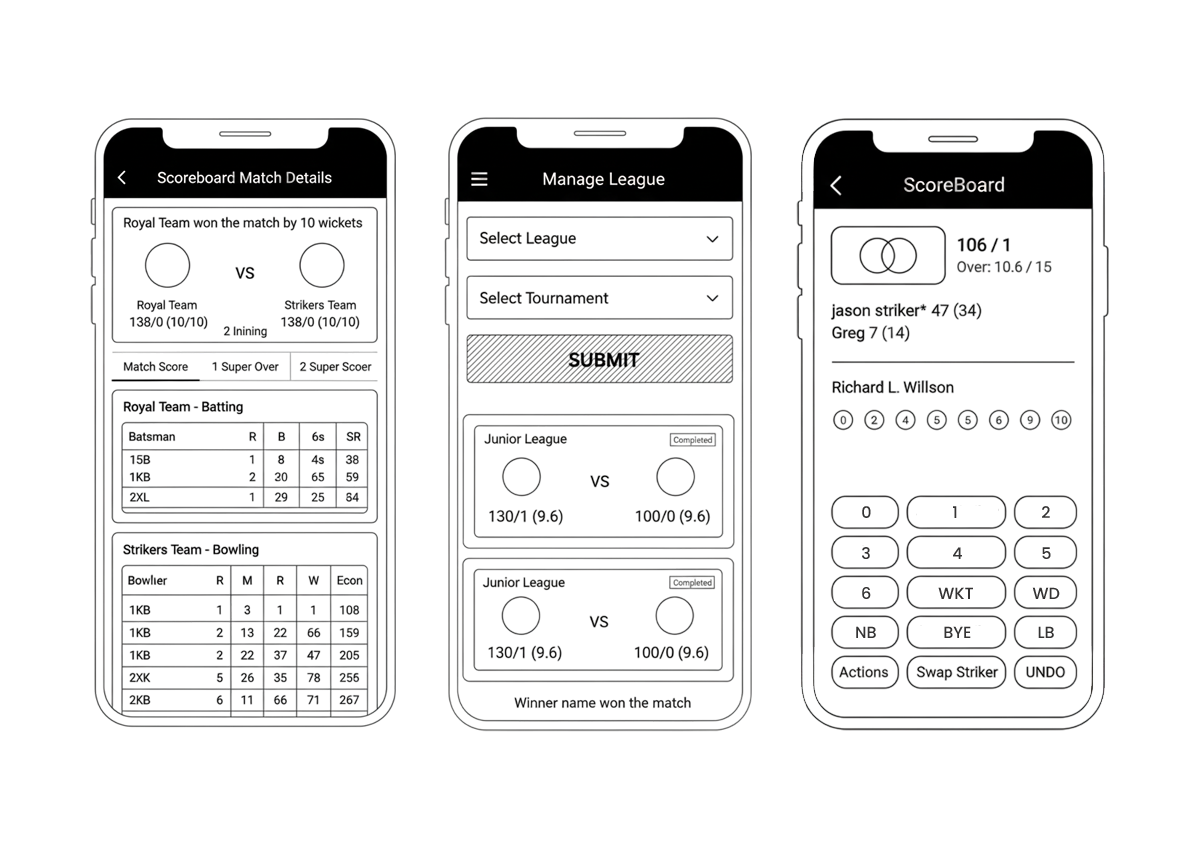
The NEOM App's wireframes were created for the purpose of arranging elements to best accomplish real-time cricket league management. The layout is informed by the business objective of delivering high-accuracy live scoring and the creative idea of a vibrant, fan-engaging platform. The wireframe depicts the app layout and arrangement of the application content, including core interface elements (like the scoring pad and match cards) and how they work together to provide a seamless tournament experience.

mobile app builder

Web Design

While the Happify mobile app was only created after the rebranding, Happify’s pre-existing website still needed to be realigned to match the new look. We leveraged the new color scheme, font, and updated design language to launch a refreshed, cleaner, clearer website.

mobile app designers
mobile apps developers
mobile app designer

App Design

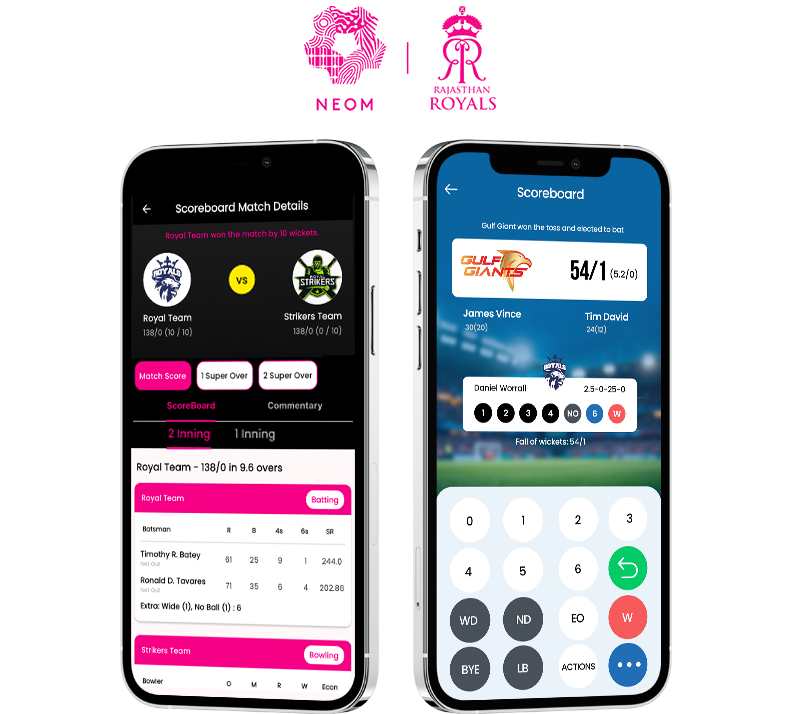
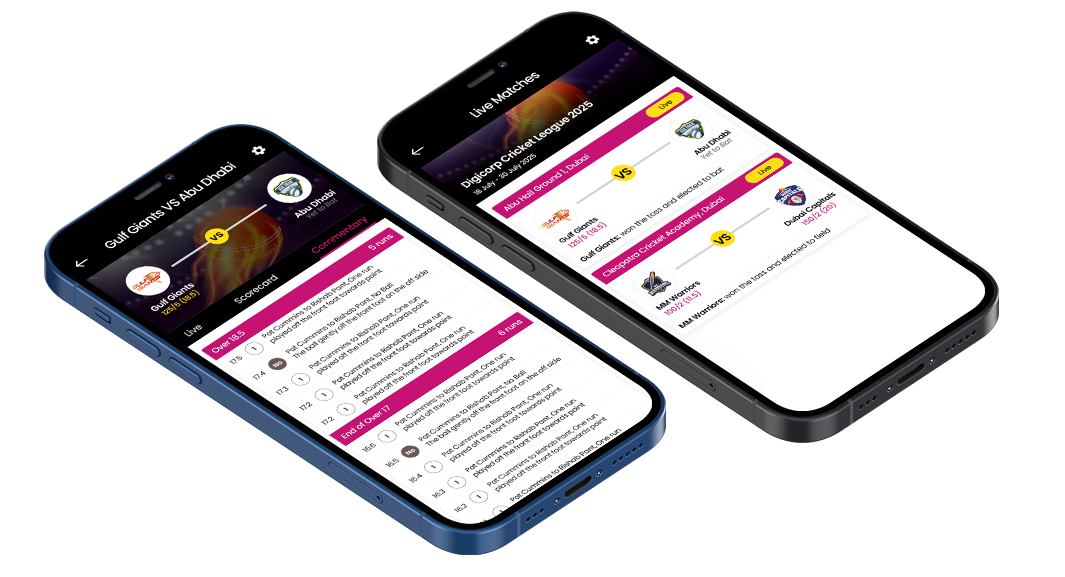
App Design Vibrant pink accents and clear, structured panels make for a highly intuitive interface. A clean, modern look and feel, including a high-contrast scoring screen, allows users to quickly and easily manage leagues, score matches, and track player stats on their mobile devices.
iphone apps
  • android apps

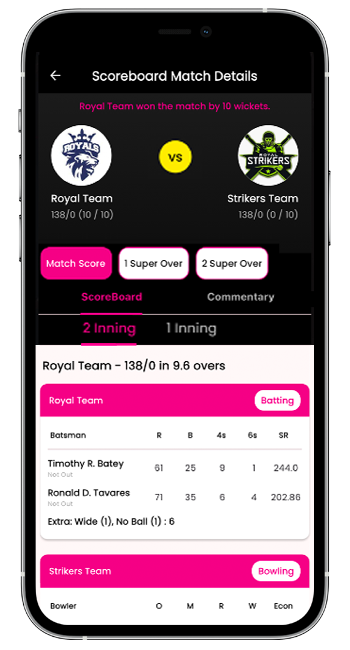
    Match Details Screen

    This screen provides a comprehensive match summary and interactive scorecard for deep analysis.

    Result & Summary highlights the match winner and margin, showing final scores for both teams.

    Inning Toggles allow instant switching between the 1st and 2nd Innings scorecards.

    Detailed Batting lists key batsman metrics: Runs, Balls, 4s, 6s, and Strike Rate.

    Detailed Bowling lists key bowler metrics: Overs, Maidens, Runs, Wickets, and Economy.

    Analysis Tabs offer further detail via ScoreBoard, Commentary, and Super Over options.

    windows apps

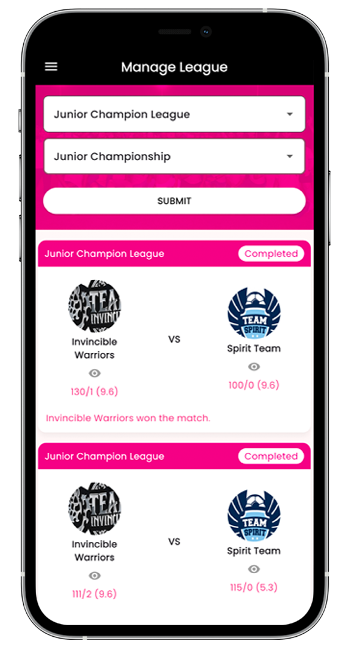
    Manage League Screen

    This screen functions as the central hub for administrators and users to select, view, and track league matches and tournaments.

    League/Tournament Selector provides drop-down menus to easily filter and select the specific League (e.g., Junior Champion League) and Tournament (e.g., Junior Championship).

    Match Cards display individual match summaries, clearly showing Team Logos, Names, scores, and overs.

    Status Indicator prominently features the match status, such as "Completed", using a vibrant pink badge.

    Quick Result Line provides an immediate, clear statement of the match winner.

    Intuitive Navigation ensures users can quickly find the required tournament results and status updates.

    mobile app development

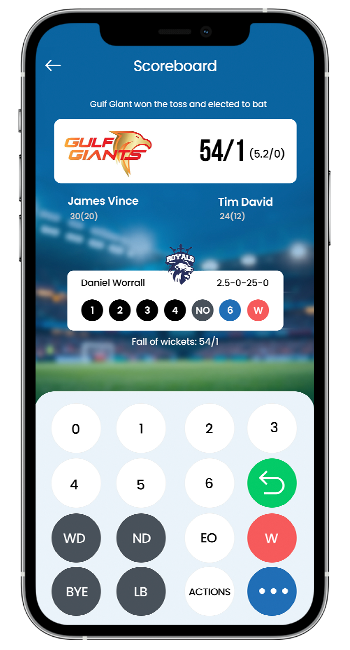
    ScoreBoard Screen

    The ScoreBoard Screen provides a dynamic, real-time interface for match officials to enter scores and manage the match flow.

    Match Summary displays the current team score, wickets lost, and the current over count (e.g., 106/1, Over: 10.6 / 15).

    Batsmen Details show the names, individual scores, and balls faced for the current Striker and Non-Striker.

    Over Progress visually tracks the result of the last six balls bowled.

    Run/Boundary Buttons allow quick input for runs (0–6), Wicket (WKT), and Extras (WD, NB, BYE, LB).

    Match Control includes critical utilities like UNDO, Swap Striker, and an Actions menu for complex events.